tracker
Opportunity Hack logo

Volunteer · event crew

Keep the hackathon running.

Event volunteers are the reason a weekend with 200 people, 15 nonprofits, and six meals feels effortless. This guide covers the roles, the shifts, exactly how check-in works, and what to do when something doesn't go to plan. No coding required.


2–4 hrsper shift
8ways to help
0lines of code
Meals + t-shirton us
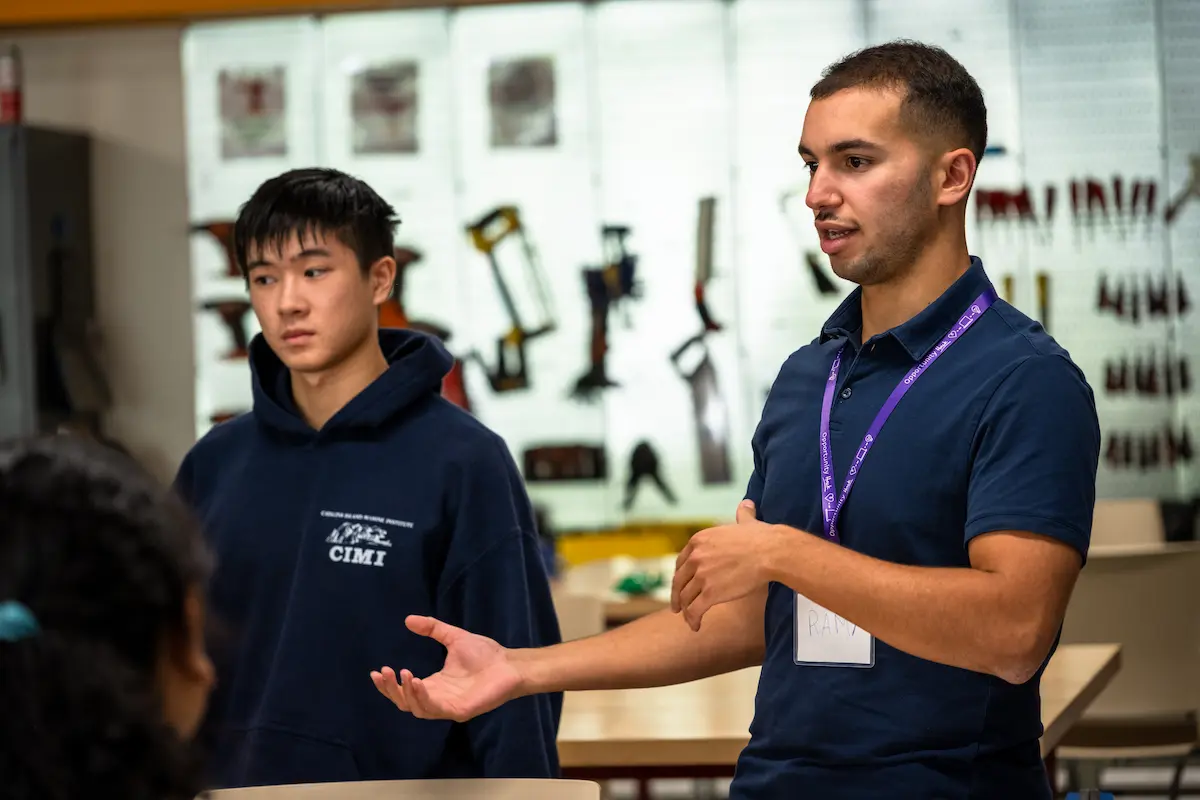
Volunteers and hackers at an Opportunity Hack event

Upcoming events

Where you can help next

Pick an event, choose your shifts on the application, and we'll confirm you before the weekend.

Loading events…

What you'll do

The roles on the application

These are the exact roles you'll see on the volunteer sign-up table. In-person events need all of them on site; online events swap the venue roles for moderation and content. You can pick more than one.

Check-in & registration

Day 1 morning — doors open until the nonprofit pitches start

Welcome everyone at the door, scan their check-in QR code, and point them to breakfast, Wi-Fi, and the kickoff room.

  • Arrive 30 minutes before doors open so the table, signage, and scanner are ready before the first hacker.
  • Most people have their QR code on their phone. Anyone who doesn't can be looked up by name — see the check-in walkthrough below.
  • Hackers who aren't on the roster can apply on their phone and be checked in right there; for anyone else not on the roster, wave an organizer over — they'll take it from there.

Food service

Every meal: breakfast, lunch, dinner, the midnight run, and day-2 breakfast and lunch

Set out catered meals and snacks, keep the line moving, label dietary options, and reset the area afterwards.

  • Dietary restrictions are collected on every application — the organizer has the counts; ask for the list before the first meal.
  • Label vegetarian, vegan, and allergen-free trays clearly so nobody has to ask.
  • Put food away one hour after serving ends, then wipe the tables and reset the area for the next meal.
  • Refresh snacks and drinks about every four hours — and top up sooner if the table looks bare. A hungry team at 11pm is a slow team.
  • The snack and fridge room is just for volunteers — keep the door closed, and if someone wanders in, a friendly heads-up is all it takes.

Cleanup crew

Any shift — especially after meals and at the very end of the event

Keep the hacking space, hallways, and food areas tidy so the venue welcomes us back next year.

  • Check the trash about every two hours, and if a bin is full or getting fragrant, feel free to change it straight away — no need to wait for the next check.
  • Walk the room once an hour with a trash bag; teams deep in their code rarely notice the pizza boxes piling up, and they're always grateful.
  • Do a trash collect before the midnight pizza lands so it arrives in a clean room.
  • The final cleanup after awards is the most important shift of the weekend — the venue inspects before we leave.

Photography & video

Daytime shifts on both days (no overnight shift)

Capture teams at work, mentors helping, nonprofit pitches, and the awards ceremony for our recap, sponsors, and social media.

  • Everyone agreed to our photo release when they applied, so candids are fine — a quick 'mind if I grab a photo?' before close-ups is still a kind touch.
  • Get a wide shot of every pitch and demo plus a few candid team moments — those are what sponsors and nonprofits share.
  • Drop photos into the event's shared Google Drive folder the same day — a selection goes on the event's media page with your name as the credit (see the photographer notes below).

Presentation & pitch support

Day 1 nonprofit pitches and the final-day demos

Run the mic, keep the slide clicker moving, time the speakers, and help nervous presenters get set up.

  • Test the projector, HDMI adapters, and microphone before the room fills.
  • Keep a visible timer; a polite 'one minute' sign keeps the schedule honest.

Judging support

Final-day afternoon — the judging window and awards

Guide judges to their teams, keep the demo rotation on time, and help wrangle teams for the awards ceremony.

  • Judges score in their own tool; your job is logistics, not evaluating projects.
  • Know where every team is sitting so you can point a judge to the right table in seconds.

Marketing & communications

Before, during, and after the event — in person or remote

Post live updates, share team stories, and help our recap reach sponsors, nonprofits, and future volunteers.

  • Tag @opportunityhack and use the event's hashtag so organizers can reshare.
  • Short clips of teams explaining their project in one sentence perform best.

Virtual event moderator & content

Online events only — kickoff, pitches, expert hours, and judging

Moderate the video sessions, keep chat questions flowing to the right people, and produce content from the event.

  • Have the schedule and every join link open before each session starts.
  • Pin the nonprofit's problem statement link in chat during pitches — teams always ask for it.

A typical weekend

The shift blocks you'll choose from

The application lays shifts out like a sign-up sheet, one block at a time, and shows how many volunteers each block still needs. These are the default blocks for a two-day event — the event page and the calendar invites in your confirmation email have the exact times.

Day 1
  1. 8:00am – 11:00amDoors open & registrationCheck-in, breakfast setup, room setup
  2. 10:00am – 12:00pmNonprofit pitchesPitch support, photography
  3. 12:00pm – 3:00pmLunchFood service, cleanup
  4. 2:30pm – 5:00pmAfternoon hackingCleanup, photography, general support
  5. 4:00pm – 7:00pmDinner & eveningFood service, cleanup
  6. 7:00pm – 11:00pmEvening hackingCleanup, general support
  7. 11:30pm – 12:30amMidnight runPizza setup, snack refresh, cleanup
Day 2
  1. 8:00am – 11:00amBreakfast setup & cleanupFood service, cleanup
  2. 11:00am – 2:00pmExpert hoursGeneral support, photography
  3. 12:00pm – 3:00pmLunch setup & cleanupFood service, cleanup
  4. 3:00pm – 6:00pmJudging & cleanupJudging support, pitch support, final cleanup

On shift

The shared shift sheet and the food area

Most of a volunteer weekend is keeping one room running: food out, food away, snacks topped up, trash gone. Organizers print a reference sheet for the event and leave it in the food area — here is how it works and the rules it carries, so nothing on this page surprises you on the day.

01

Everyone on shift shares the room

Volunteers come in time slots rather than all day, so there isn't one person in charge at any given moment — and that's fine. If you spot something on the shared sheet that needs doing during your shift, you're welcome to pick it up.

02

Initial the sheet when you finish something

A printed reference sheet lives in the food area with a row per task and an Initials column. Adding your initials when you finish lets the next volunteer know it's handled, so nothing gets done twice.

03

Use your judgment between checks

The times are a rhythm, not a rule. If a bin is full or the snack table looks bare between checks, go ahead and sort it out; if everything looks fine at check time, a quick look is plenty.

Food area rules

Meals
Put food away one hour after serving ends. Wipe the tables and reset the area so it's clean for the next setup.
Snacks
Refresh about every four hours. In between, take a look: if snacks are low or the area is messy, top it up or tidy it.
Trash
Check about every two hours. If a bin is full or getting fragrant, go ahead and change it — no need to wait for the next check.
Snack & fridge room
This room is just for volunteers. Keep the door closed, and if someone wanders in, a friendly heads-up that it's the volunteer room is all it takes.
Taking food
Hackers are welcome to take food with them. If someone's loading up, a gentle reminder to leave enough for everyone — and to leave the trays, containers, and bulk supplies behind — is plenty.
Setup & take-down
Keep the snack and meal areas clean for setup, and leave them clean at take-down. A little general awareness while you're on shift goes a long way.

A day's rhythm

The printed sheet has the exact times for your event; meal times are confirmed on the day.

  1. Doors openSet up the snack station and the welcome table.
  2. Every ~2 hoursTrash check — change any bin that's full.
  3. Every ~4 hoursRefresh snacks and drinks.
  4. After each mealPut food away one hour after serving ends; wipe and reset.
  5. Before the midnight runCollect the trash so the pizza lands in a clean room.
  6. End of day 1Tidy up, wipe down the food area, pack away leftover supplies.
  7. After winners are announcedTake down and leave the space clean.

Registration desk

How check-in works

Check-in is the first thing every participant experiences, and the record it creates is what unlocks meals counts, certificates, and volunteer hours. Here is the whole process, start to finish, using the same tool organizers use.

  1. Grab a scanning phone at the desk

    Organizers provide phones for scanning QR codes at the registration desk, so there's nothing to set up or get access to ahead of time. When your shift starts, find the organizer on duty — they'll hand you a phone and point you to the Check-In section. Prefer your own phone? An organizer can give your ohack.dev login check-in access (just that, nothing else in the admin) — ask at the desk.

  2. Everyone approved has a QR code

    Once approved, everyone has a personal check-in QR code on their application page (the approval email links to it). Ask people to have it open on their phone while they're in line.

  3. Open the Check-In section and start scanning

    Choose Check-In, tap Start Scanning, and allow camera access. Point the camera at the QR code — you'll see "Successfully checked in" with their name. If the camera opens the wrong way, use Switch Camera.

  4. No QR code? Look them up by name

    Tap Manual Entry, pick their role, then search by name or email. Select them and tap Check In — same result as a scan.

  5. Not on the list? Hackers can apply right there

    Hackers who haven't applied or aren't on the roster can apply on their phone at the desk, and you can check them in. Most events are first-come-first-served, and budget can cap the headcount, so if a hacker still doesn't appear or you hear we're full, flag an organizer. For mentors, judges, volunteers, and sponsors, an organizer handles approval. Mentors may already have checked in online; that counts, so just confirm they're in the list.

Common situations at the desk

SituationWhat you do
They have the QR code on their phoneScan it. Confirm the name on screen matches the person, then send them to breakfast and the kickoff room.
Phone died or no QR codeManual Entry → pick their role → search their name or email → Check In.
A hacker applied but isn't on the rosterLook them up by name first. If they still don't appear, call an organizer — most events are first-come-first-served with a capped headcount, and the organizer will sort it out.
A hacker never applied (a walk-up)Have them apply on their phone from the event page right there, then check them in. If we're at capacity, an organizer will let you know.
A mentor, judge, volunteer, or sponsor isn't on the rosterCall an organizer over — they approve from the Volunteer section, and then you can scan or look the person up like anyone else.
A mentor says they already checked in onlineThat's real — remote mentor check-in sets the same flag. Find them in the checked-in list to confirm, no second scan needed.
The name on screen is misspelled or out of dateCheck them in anyway. They can fix it by updating their application.

Everyone agreed to the code of conduct, liability waiver and photo release when they applied — if someone asks what they signed, those are the pages.

Your checklist

Before, during, and after the event

The same kind of checklist mentors and judges use. Tick things off as you go — it's saved in your browser so you can come back to it over the weekend.

0 of 22 done · saved in this browser

Before the eventThe week before — ten minutes that make the morning painless.0/5
  • Open the calendar invites from your confirmation email and make sure the blocks you picked still work. Tell the organizers early if something changed.

  • An ohack.dev login doesn't create a Slack account — join from ohack.dev/signup. Organizers coordinate volunteers there during the weekend. Join Slack

  • Organizers provide phones for scanning QR codes at the registration desk. When your shift starts, the organizer on duty will hand you one and show you the Check-In screen (or give your own login check-in access if you'd rather use your phone).

  • Ask the organizer who approved you. On the day, that number is faster than Slack.

  • Every event page lists the venue, parking, transit, and the day's timeline — plus the links hackers will ask you about. Find the event page

When you arriveYour first fifteen minutes on site.0/4
  • Registration volunteers: that means 30 minutes before doors open. Find the organizer on duty and get a quick briefing.

  • You have a QR code on your own volunteer application page. Have the person at the desk scan it — it's how your hours and certificate get tracked.

  • Where are the bathrooms, the kickoff room, the food, the quiet rooms, and the nearest exit? You'll be asked all five in the first hour.

  • Handy if you need documented hours for work or school — the time tracker keeps a log you can share. Open the time tracker

During your shiftThe habits that make a hackathon feel effortless.0/6
  • Many hackers are at their first event and nervous. A warm hello and 'breakfast is that way' sets the tone for the whole weekend.

  • Everyone on shift shares the room — the printed sheet in the food area lists what's due and when. Pick up anything that's outstanding, then add your initials so the next volunteer knows it's handled.

  • Not on the roster, a medical question, a venue problem, an unhappy sponsor — an organizer will take it from there. You're never expected to handle those alone.

  • Trash about every two hours (sooner if a bin is full), snacks and water about every four, and notice teams that look stuck — point them to #ask-a-mentor or a mentor in the room.

  • Even if photography isn't your shift, a couple of candid shots sent to the organizers help the recap.

  • Meals are for volunteers too. Hand off to another volunteer or an organizer before you step away.

Wrapping upThe last hours decide whether the venue invites us back.0/3
  • Guide judges to tables, keep demo rotations moving, and get teams into the awards room when called.

  • Tables wiped, trash out, cables coiled, lost-and-found collected. Ask the organizer for the venue's checklist.

  • Photos go in the event's shared Google Drive folder. Then tell the organizers what worked and what didn't while it's fresh — it goes straight into next year's plan.

After the eventGet credit for the weekend.0/4
  • If you used the time tracker, end your session so the log is complete. Time tracker

  • Each event has a letters page that generates a General Volunteer letter for an organizer to review and sign.

  • Your application page has a share card for LinkedIn and Instagram — tell your network what you did.

  • The feedback form is linked from the event page once the event has started. Two minutes, and organizers read every answer.

What to bring

  • No laptop needed — your phone covers everything a shift asks for
  • A fully charged phone (and a battery pack if you're on the photo shift)
  • Comfortable shoes — you'll be on your feet
  • A reusable water bottle; we keep refill stations stocked
  • Layers: hacking rooms run cold overnight and warm by afternoon
  • Your login to ohack.dev so you can open the event page, Slack, and the check-in tool

FAQ for event volunteers

Questions, answered

Do I need technical skills to volunteer at a hackathon?

No. Event volunteers keep the weekend running — check-in, meals, cleanup, photography, pitch logistics, and judging support. None of those roles involve writing code. If you'd rather build, apply as a hacker instead; if you're an experienced engineer who wants to guide teams, apply as a mentor.

How long is a shift, and how many should I pick?

Shifts are two to four hour blocks laid out on the application like a sign-up sheet, from doors opening on day one through judging and cleanup on the last day. Pick every block you can genuinely cover — you don't need to be there all weekend. The busiest needs are the day-one registration morning, meal times, and the final cleanup after awards.

Who's in charge during my shift?

Everyone on shift shares it. Volunteers come in time slots rather than all day, so instead of one lead, the printed reference sheet in the food area is the shared source of truth: it lists what needs doing and when, with an Initials column you fill in as you go. Pick up whatever is due during your shift, and lean on the organizers for anything that needs a decision — roster questions, venue issues, medical or safety concerns. They're on site all weekend.

Can I volunteer virtually?

For in-person hackathons, volunteer roles need you on site — the application will stop you from choosing 'virtual' and point you to mentoring, which can be done remotely. Our online-only events have virtual roles: event moderation, content creation, and social media.

Will I hear back after I apply, and what does 'approved' look like?

You'll get a confirmation email right away with calendar invites for the shifts you picked. Organizers then approve volunteers before the event. Once you're approved, your application page shows a personal check-in QR code and a card you can share on social media, and your name joins the volunteer roster on the event page. If you reopen your application and see an 'awaiting confirmation' notice, that just means organizers haven't gotten to it yet — nothing more is needed from you.

Are meals provided?

Yes — in-person volunteers eat with everyone else: breakfast, lunch, dinner, late-night snacks, and day-two meals. The application asks for dietary restrictions so the catering counts are right; please fill that in so we can take good care of you.

I signed up for check-in. How do I actually check people in?

Scan their QR code with the check-in tool inside the event's admin pages, or look them up by name with Manual Entry if they don't have the code. Organizers provide phones at the registration desk for scanning, so there's nothing to set up beforehand — and if you'd rather use your own phone, an organizer can give your ohack.dev login check-in-only access on the spot. The full walkthrough, including what to do when someone isn't on the roster, is on this page.

Where do I park, and what should I wear?

Each event page has venue, parking, and transit details; for our ASU Tempe events there's a dedicated venue guide. Dress comfortably and casually — you'll be on your feet, and the rooms swing from cold overnight to warm in the afternoon. Opportunity Hack volunteer t-shirts are handed out at check-in when we have them, which is why the application asks for your size.

Can I get a letter, certificate, or volunteer hours?

Yes. If you need documented hours for work or school, you can log them on ohack.dev/volunteer/track — it's optional. After the event, request a General Volunteer letter from the event's letters page — it's reviewed and signed by an organizer. Every volunteer also earns Hearts toward certificates and rewards on your profile.

Why does the application ask for my photo, bio, and LinkedIn?

They're optional. When you're approved they appear on the event page's volunteer roster so participants can recognize the people helping them, and they feed the share card you can post after the event. Skip them if you'd rather stay off the public roster.

I'm on the photography shift — where do my photos go?

Into the shared Google Drive folder organizers create for the event; ask for the link once you're approved or in Slack on the day. After the hackathon a selection goes up on the event's media page and in the recap with your name as the credit, and you'll receive a volunteer certificate like every other shift. It's a public event and everyone agreed to the photo release when they applied, but if someone would rather not be in a shot, that's always fine.

Can I volunteer and also hack, mentor, or judge?

Pick the role you'll actually be doing on the day; each one has its own application and roster. Mentors and judges are reviewed separately. Many volunteers hack at a later event once they've seen how a weekend runs — and the year-round projects on ohack.dev/projects are open to anyone any time.

How do I reach organizers during the event?

Organizers are on site all weekend and in the event's Slack channels. Before the event, ask the organizer who approved you for their phone number and join our Slack from ohack.dev/signup — note that an ohack.dev login does not create a Slack account, so you need to join separately.

Ready to help run one?

Apply through any upcoming event above, or look at the other ways to get involved — hacking, mentoring, judging, and organizer roles.

Our Mission

To empower students, professionals, and nonprofits to collaboratively create sustainable tech solutions that drive social impact and foster learning.

Our Vision

To build a global community where individuals can accelerate their career growth while making a lasting impact for nonprofits.

Follow Us
#socialgood  #nonprofit  #volunteer  #socialimpact  #communitybuilding  #technicalsolutions  #skillsbasedvolunteering  #makeadifference  #givingback  #changemakers  #empowerment  
Opportunity Hack Inc. EIN: 84-5113049